
LAW FIRM WEBSITE
Cushner & Associates
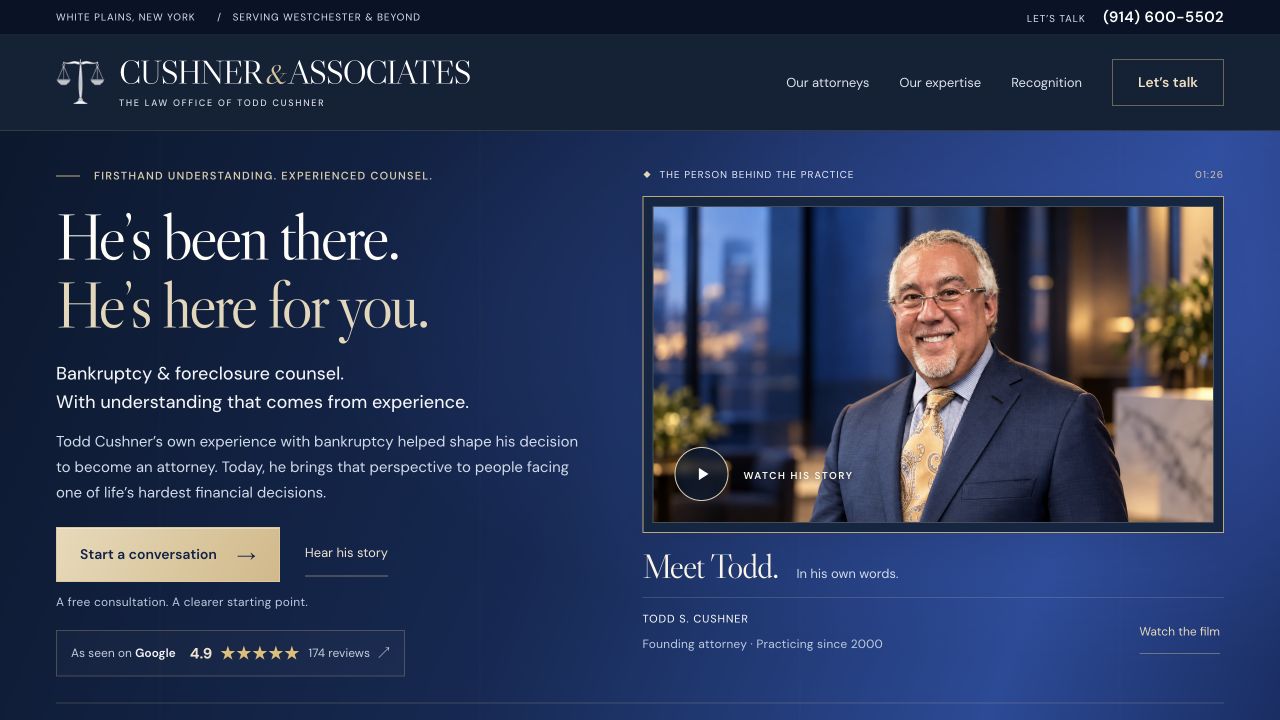
Todd’s story, clearly presented. A considered legal website with clear practice areas and a direct path to start a conversation.
Password required Let’s talk
MADE FOR THE WAY YOU WORK
Websites that bring people in. Phone assistants and software that help your team take it from there.
The card keeps spinning while you scroll. Touch the card to hold it; lift your finger to resume. Drag sideways to rotate it, or swipe vertically to scroll. Use Pause to stop rotation. Keyboard focus holds the card steady; arrow keys rotate, Enter turns it over, and Home or Escape resets.
01 / WEBSITES
Show people what you do. Help them see the quality. Make getting in touch the obvious next step.
LAW FIRM WEBSITE
Todd’s story, clearly presented. A considered legal website with clear practice areas and a direct path to start a conversation.
Password required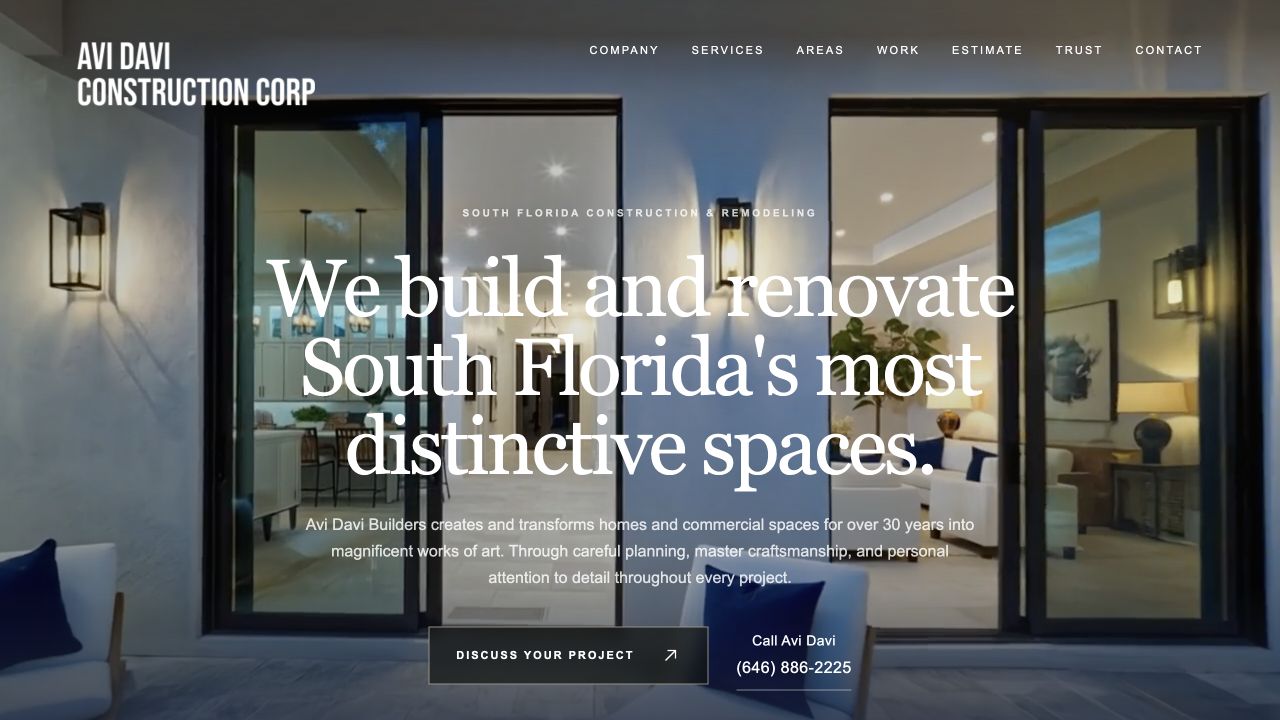
CONSTRUCTION WEBSITE
Residential and commercial construction, presented through clear service pages, project imagery, and direct contact options.
02 / CALLS & ENQUIRIES
Get the caller’s name, contact details and what they need—ready for your team to follow up.
A short intake captures their request and how to reach them.
A clear summary gives the person calling back a useful place to start.
We agree the call setup and the details your team needs before building.
Callback requested
Kitchen remodel in Dania Beach.
Afternoon callback preferred.
Fictional details. No call is made or request sent from this example.
03 / BUSINESS SOFTWARE
Connect the tools you already use so customer details move with the work. Less retyping, fewer things to chase.
 CUSTOM INTEGRATION
A customer’s details can fill an agreed document template. Your team checks it, sends it for signature, and sees what still needs a reply. See how it works in the example.
Your team reviews and approves what gets sent.
DOCUMENT WORKFLOWINTERACTIVE EXAMPLETHE ENQUIRY
One request becomes a clear brief for your team.
“I’d like to discuss a kitchen remodel in Dania Beach. Afternoons are the best time to call me.”
Next: your team reviews the project details before preparing a document.
CLIENT ENQUIRY / INT–010
The details your team needs, ready to check.
The customer wants to discuss a kitchen remodel. Your team checks the details and confirms the next step before sending any paperwork.
Permission to contact the client is included in this example.
CONTACT AUTHORIZATION
Approved details carry into the document.
Illustrative signature only. No document is sent or signed from this preview.
BUILT AROUND YOUR TOOLS
From the first enquiry to the follow-up, we design custom integrations around the way your team works.
18 tools

Outlook, Teams & office tools
Connect mail, calendars, files, and spreadsheets so your team can act in the tools it already uses.

Gmail, Drive & Calendar
Route enquiries to an inbox, organize supporting files, and keep calendar details connected.
Documents & signatures
Prepare documents from approved details, send signature requests, and track their status.

Team updates
Send a useful enquiry summary to the right channel, with context for the person following up.

Shared knowledge
Turn approved information into organized pages and records your team can find.

Contacts & sales follow-up
Create or update contacts and attach follow-up tasks, keeping new enquiries close to the sales process.

Leads & customer records
Match incoming details to the right record and update the fields your team needs to move forward.

Legal practice management
Connect contact and matter information to your firm’s workflow, with staff review where it belongs.

Scheduling
Offer the right booking link and route scheduled or cancelled meeting updates to your team.

Voice & messaging
Build phone routing and communication workflows. Twilio provides Nova’s phone connection.

Payment status
Connect checkout or payment links to your process and reflect payment updates in the right records.

Customers & invoices
Carry approved customer and invoice details into accounting, reducing duplicate data entry.

Online stores
Connect store, customer, and order information to the tools that handle fulfilment and follow-up.

Websites & content
Build your site and connect content or custom forms to your intake and business systems.

Design & CMS
Build a polished website and connect CMS content and form submissions to your workflow.

Structured operations
Turn enquiry details into organized records for tracking, ownership, and follow-up.

Multi-step workflows
Link tools in a sequence, with routing, conditions, and error handling around your process.

App-to-app automation
Connect supported app events and actions to handle routine work between your systems.
No matches. Try a different tool or category.
Tell us what you use and what you want it to do. We’ll check what can be connected and what your account supports.
We agree what each connection will do and check what your accounts support before building. Platform logos identify tools; they do not imply a partnership or certification.
LET’S MAKE IT WORK FOR YOU
A better website, fewer missed enquiries, or less office admin. Tell us what needs to be easier.
Show us where work gets held up.
Clear features, scope and price.
Review it as a customer would.
Yes. You can start with a website, a phone assistant, an online enquiry form, or a specific software task. We agree how it will work for your team before building.
You define the business information Nova may use. We agree which questions to cover, which details to collect, and what your staff should handle in follow-up.
We check your phone provider, number and routing requirements before confirming a setup. Tell us when your office should answer and when you want Nova involved; any changes are agreed and tested first.
We can plan those features with you. First we check your calendar or document tools, decide what happens automatically, and agree when your team needs to approve it.
Your team reviews the enquiry, contacts the customer, gives advice, confirms pricing and decides whether to take on the work. The products help collect and organize the information for those decisions.
Yes. We design and build new websites and improve existing ones, including service pages, project galleries and enquiry forms. We agree the pages and features before work begins.
Pricing depends on the website, products, setup, and custom integrations you need. We define the first phase and confirm its scope and cost before you commit.